
Awaiting signature
The exchanger saved a list and hasn't signed the notice yet.
Regent · Identification
The rules
| Rule | What it allows | How Regent checks it |
|---|---|---|
| Three-property rule | Up to three properties, of any value. | Passes automatically for one to three properties. |
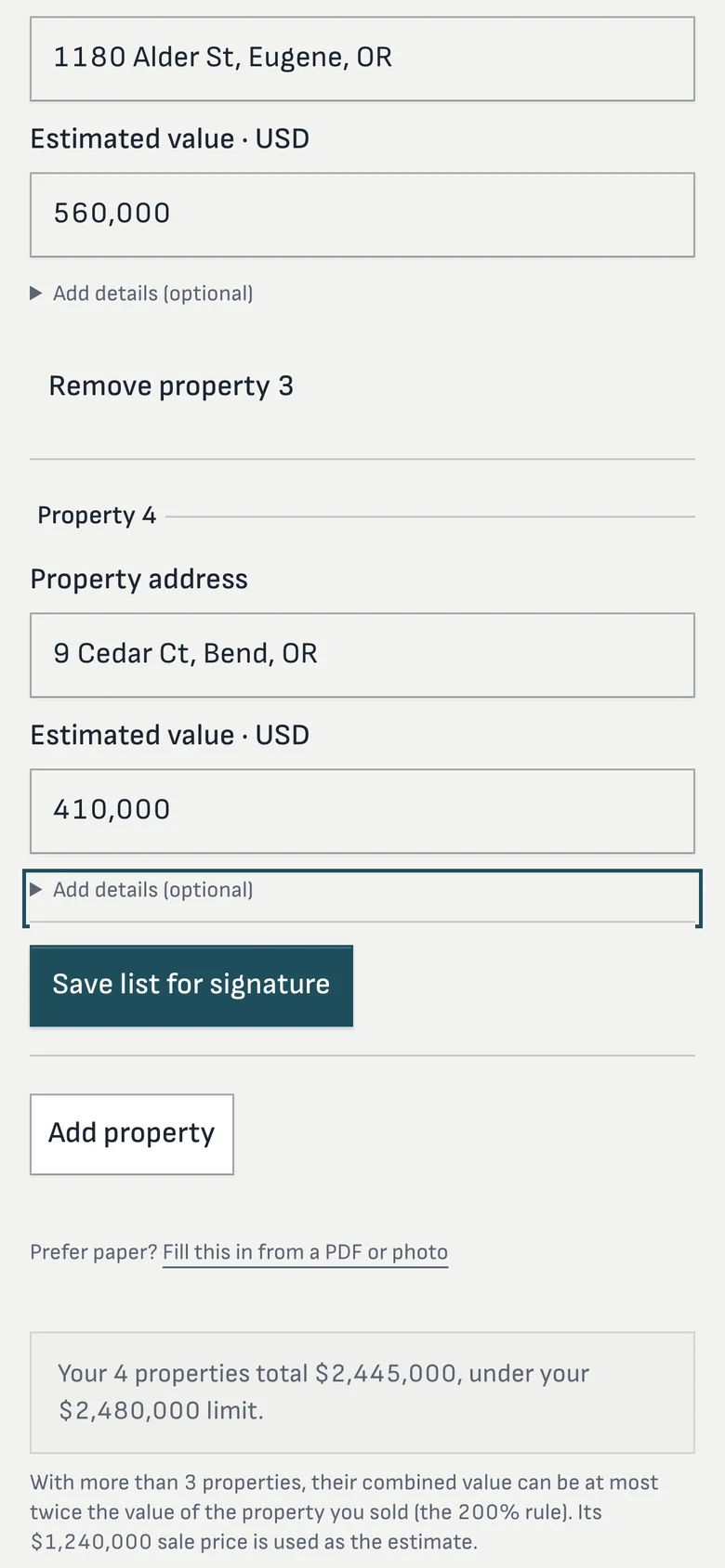
| 200% rule | Any number of properties, if their combined fair market value is no more than twice the value of the property sold. | Adds the estimated values and compares them with twice the sale price, in exact cents. It shows the limit before the first property is entered. |
| 95% exception | A list that meets neither rule still qualifies if the exchanger acquires at least 95% of the total value identified. | Shown as a note. It can only be known once the purchases close, so Regent never claims it in advance. |
The exchanger’s side
Before the first entry, the portal tells the exchanger their limit in dollars: “up to 3 properties of any value, or more if their total is no more than twice the value of the property you sold.” Each property needs an address, with an APN or legal description when the address isn’t enough. The list can change freely until they sign the notice.
Your staff's side
A signed notice arrives as pending review. A processor confirms it, or rejects it with a reason. A later notice that revises the list supersedes the earlier one, and a revocation is its own signed form. The confirmed notice is the identification of record, the exchanger is told it was confirmed, and a receipt acknowledgment form is on the file.
When an exchanger sends a notice by email or on paper, staff can enter it for them. Where reading is switched on, Regent can read an uploaded notice, PDF or photo, and pre-fill the property list for a person to check before anything is saved.
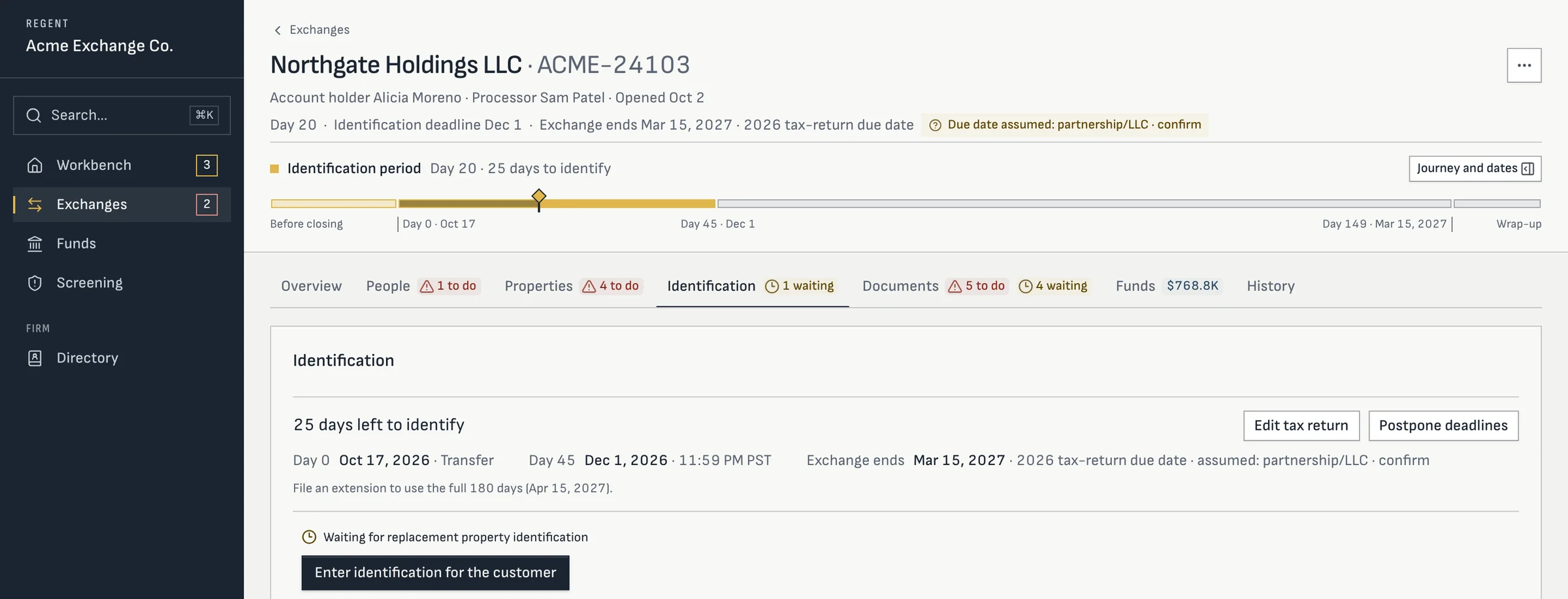
Screens from Regent today, with a sample firm and sample exchanges. Your workspace and portal carry your firm’s name and logo.
Statuses
Straight answers