
Regent · Exchanger portal

Fewer calls asking“where is my money?”

Your exchangers get a portal in your firm's name that tells them what to do, by when, and what you hold for them. It's built for a phone, written for someone doing their first exchange, and it never gives tax advice.

What the exchanger sees

Their money, their dates and their next step.

The home page leads with what to do now, in any order, each with its deadline. Below it: what your firm received, from which escrow company and when; what is currently held; when the deadlines started and when they end; and how a tax extension would change the date. A plain timeline shows what happens next.
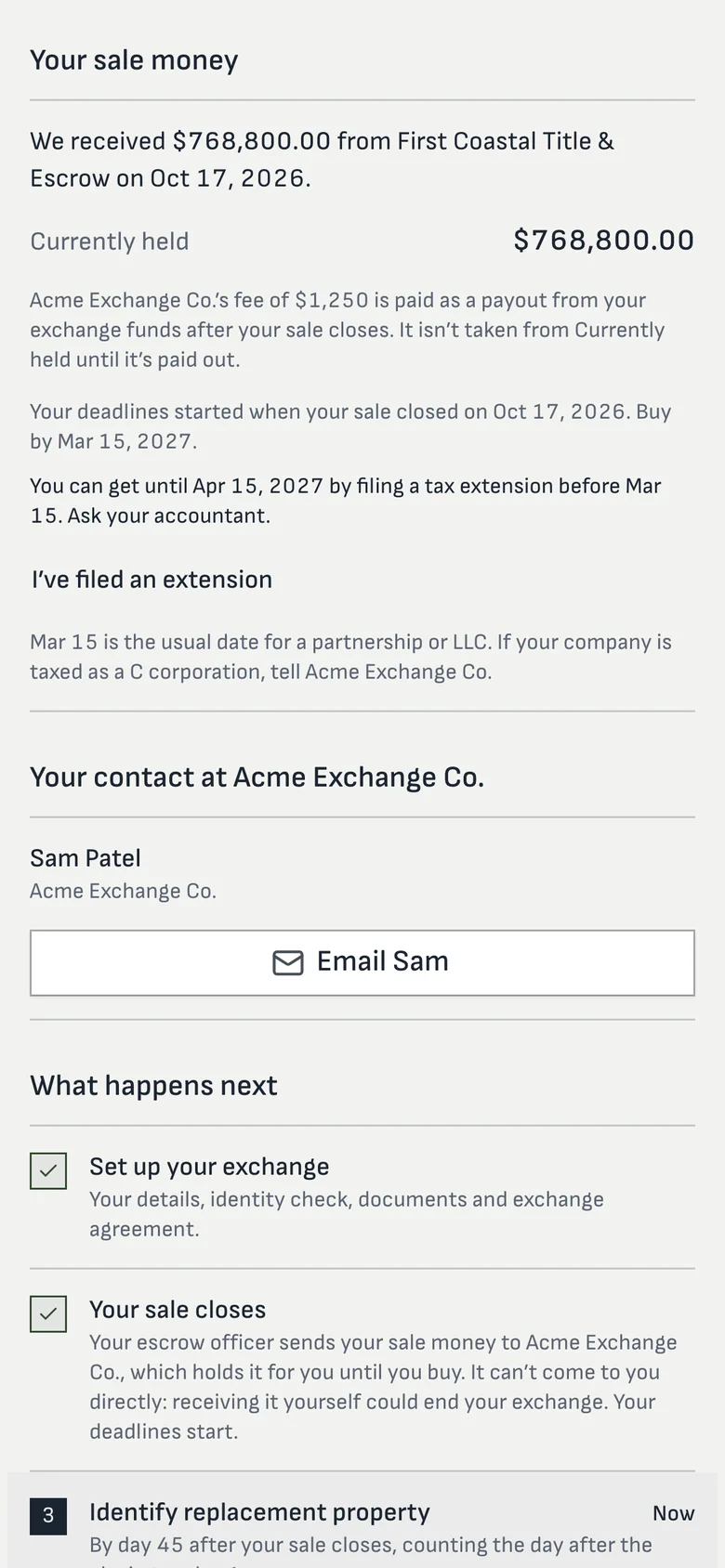
  • “Your escrow officer sends your sale money to us. It can’t come to you directly”: the rule, explained once
  • Your processor’s name and a way to reach them
  • Every signed document and its certificate, ready to download
Exchanger portal: sale money received and currently held, the deadlines and what happens next
Sale money, deadlines and what's next.

What the exchanger does

Everything you'd otherwise chase by email.

Accept and sign in

The invitation comes from your firm. They sign in with an emailed code, and you can require a texted code too. No password to forget.

Intake and identity

Their details, the entity's documents and an identity check, from a phone.

Escrow and the buyer

They name their escrow officer, send the wire letter, and give the buyer's contact details or ask escrow to.

Sign

Every package your firm sends, embedded in the portal, in order.

Identify

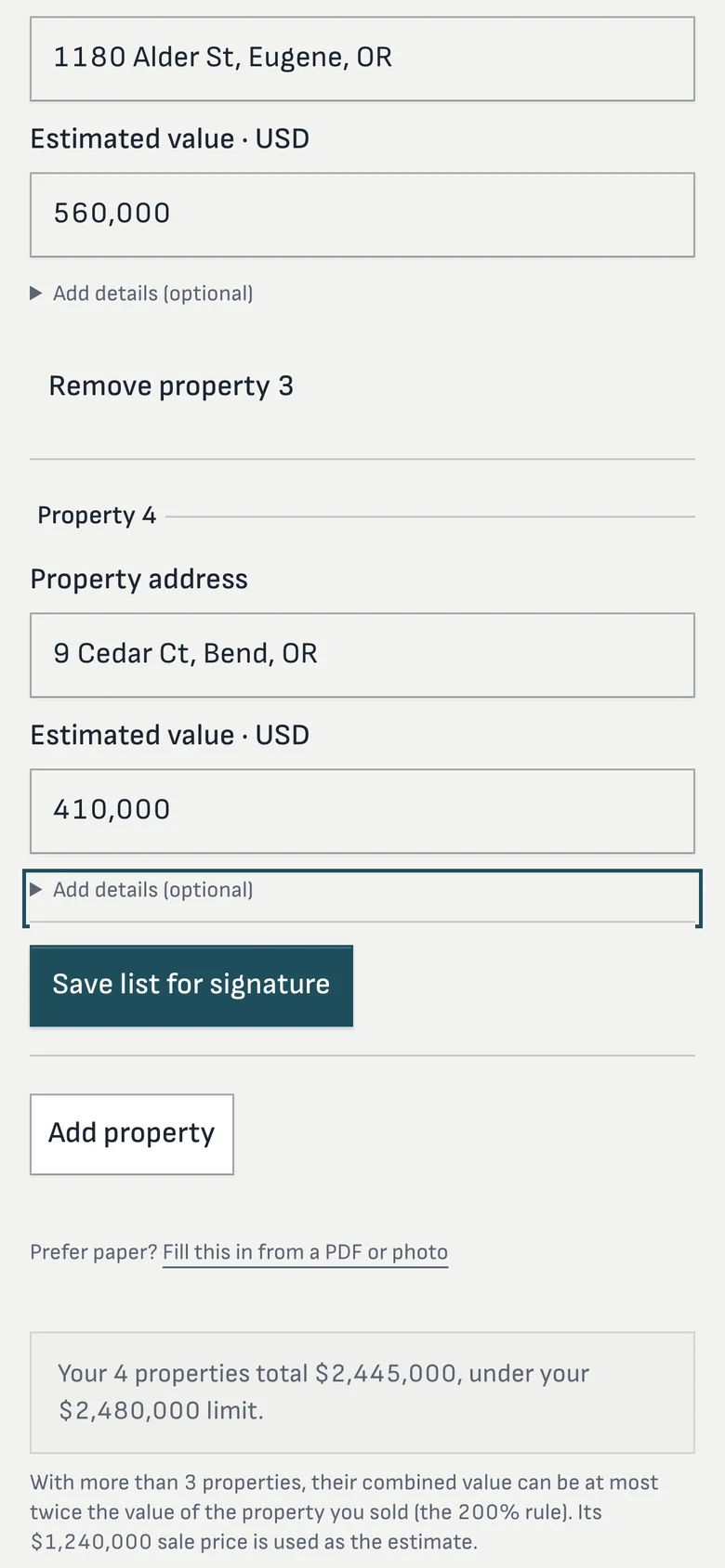
List replacement property with the three-property and 200% rules checked as they type, then sign the notice.

Approve payouts

Approve each disbursement with a one-time code before your staff can send it.

Your brand

Your firm's name on every screen and email.

The portal and every email carry your firm’s name, logo and colors, and emails go out on your letterhead with your mailing address and your reply-to address, so answers come back to your team. Each firm has its own workspace address.

Exchangers choose how they hear from you: “Text me updates too” or “Email only”. A STOP reply turns texts off for that number.

Outside parties

Escrow and buyers, without another login.

Escrow officers and buyers don’t need accounts. Regent sends them secure links protected by a code, each for one job: submit closing instructions or a settlement statement, provide wire instructions, acknowledge a notice of assignment, or sign. Your staff can revoke any link.

Straight answers

Questions processors ask

Is there an app to download?
No download. The portal is a website designed for phones, and it works on any device.
Can the exchanger's CPA or attorney log in?
Not today. Advisors receive documents from the exchanger or your team.
Can the portal run on our own domain?
Each firm gets its own address on Regent, with your name and logo. A custom domain isn't available today.
What if the exchanger would rather do it on paper?
Paper still works: staff can enter information for them, and signed documents can be uploaded.

Hand us your phone on the call.

We'll send you an exchanger invitation and you can walk the portal as your client would.

Your team has a direct line to ours.