Regent · Documents and e-signature
Your documents,filled, signed and filed.

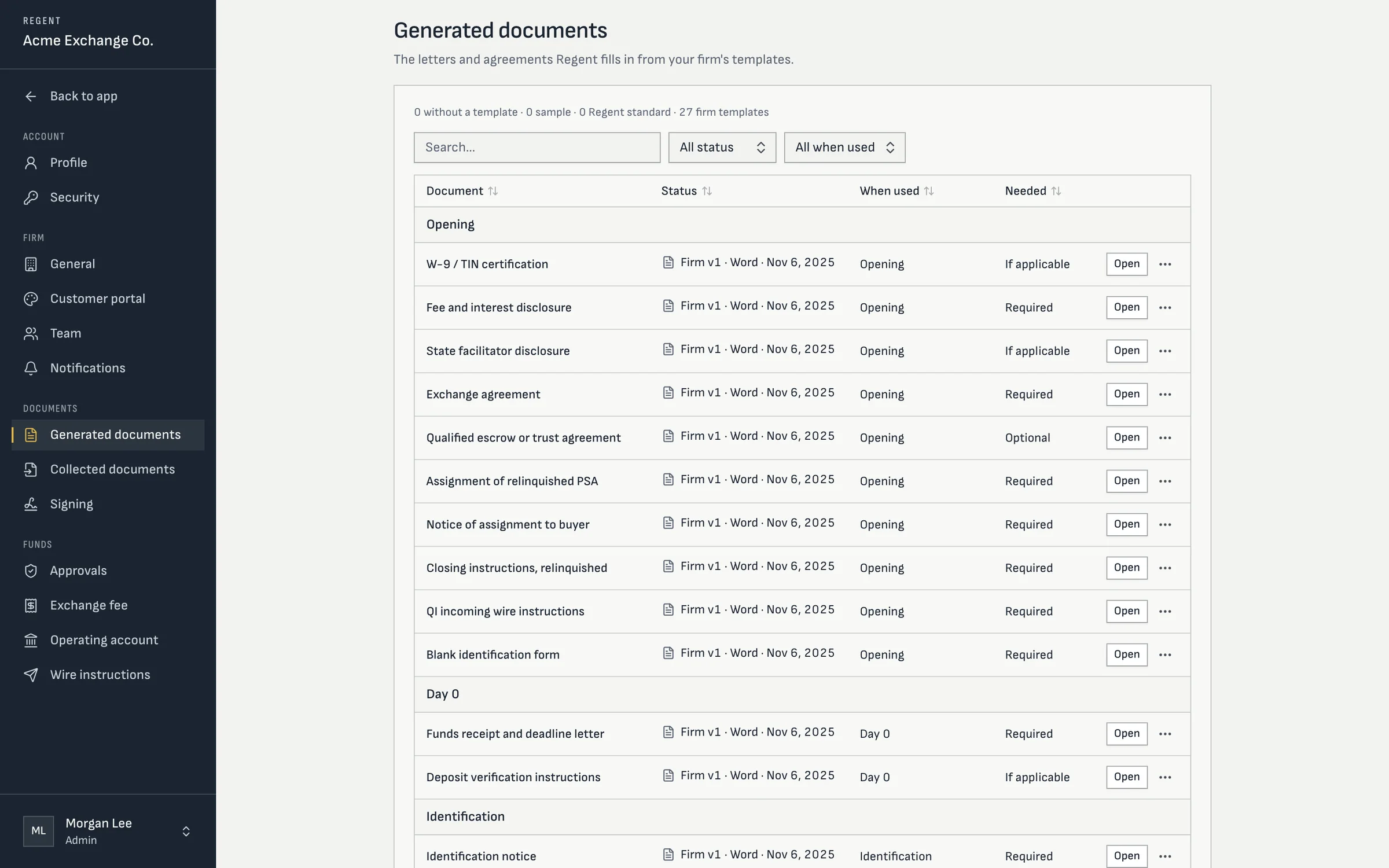
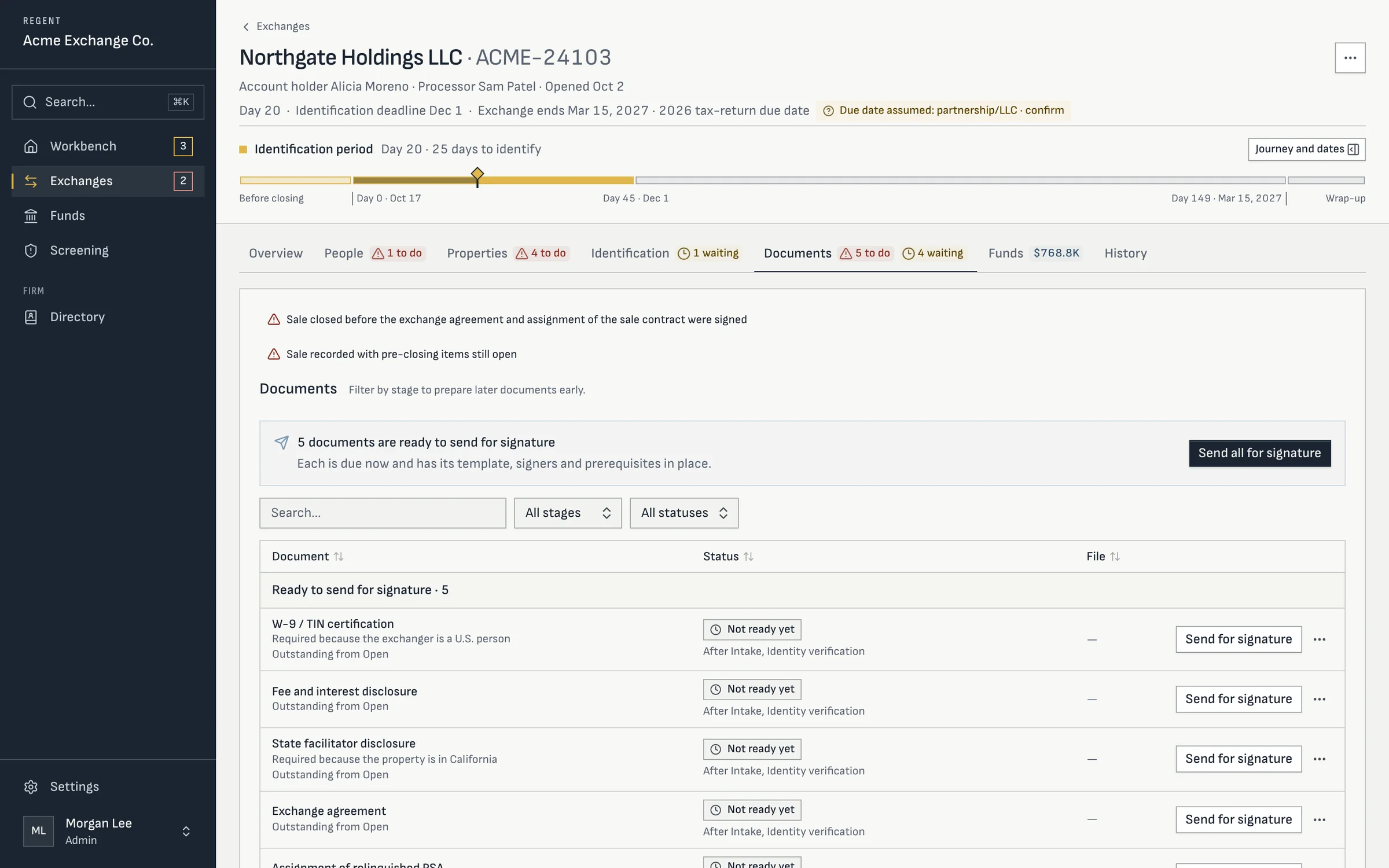
Screens from Regent today, with a sample firm and sample exchanges. Your workspace and portal carry your firm’s name and logo.
The catalog
Every document a delayed exchange needs.
| Stage | Documents Regent generates |
|---|---|
| Opening | Exchange agreement; qualified escrow or trust agreement; assignment of the relinquished purchase agreement; notice of assignment to the buyer; closing instructions; your incoming wire instructions; fee and interest disclosure; state disclosure where required; W-9. |
| Day 0 | Funds receipt and deadline letter; deposit verification instructions. |
| Identification | Identification notice; identification revocation; identification receipt acknowledgment. |
| Replacement | Assignment of the replacement purchase agreement; notice of assignment to the seller; closing instructions; earnest-money and funds requests. |
| Wrap-up | Residual funds request; final accounting; interest statement; Form 8824 support package; completion letter; termination and cancellation accounting. |
Templates
Word templates, with merge fields you can check.
Every new firm starts with Regent’s standard forms for the routine documents and the official IRS W-9. Your firm uploads its own exchange agreement and escrow agreement, the documents your counsel wrote. Templates are ordinary Word files with merge fields, checked against the fields each document is allowed to use, so a typo shows up before a client sees it.
- Edit a template in the browser in a Word editor, with a field picker
- Every save is a version, and any version can be restored
- Documents render to PDF in an isolated worker
- Each document knows its stage and whether the file needs it
Signing
Signed in order, by the right people.
Regent sends a package for signature to the exchanger’s signers, embedded in the portal, and to outside parties through a secure link. Your firm’s signing officer countersigns from a signing queue. Staff can pause, resume, resend or void a request, and requests expire on their own rather than sit open.
The executed copy and its audit certificate are kept on the file, and the exchanger can download both. If a signature can’t be confirmed, Regent treats the document as unsigned.
Straight answers
Questions processors ask
- Do we have to use Regent's exchange agreement?
- No. Regent doesn't supply one. Your firm uploads its own exchange agreement and escrow agreement, and Regent fills them from the file.
- Can documents be signed on paper?
- Yes. Staff can upload a document signed on paper, and the exchanger can upload a signed identification notice.
- Who reviews the standard forms?
- Your firm and its counsel. Regent's forms are a starting point; you can edit or replace any of them.
- Where are the files stored?
- In private cloud object storage. Regent refuses to keep files on a server’s local disk in production.
Keep going
- FeatureExchange managementPhases that advance on their own, follow-ups, a workbench and search across every file.Read it
- FeatureExchanger portalA phone-first portal in your firm's name: intake, identity, signing, identification and funds held.Read it
- FeatureIdentification rule checksThree-property and 200% checks as the exchanger types, signed notices and staff review.Read it
- TrustSecurity and audit trailNo passwords, firm-by-firm data separation, encrypted tax IDs and a log that can't be edited.Read it
- ReferenceRegent FAQStraight answers on exchange types, money movement, documents, setup and data.Read it
- OverviewRegent1031 exchange software for qualified intermediaries, from intake to the final accounting.Read it